Features
One scan. A clearer starting point.
Point SimSweep at your Mods folder and it reads supported package and script files, then organizes the findings for review. The core scanning features below are Free. Decrypt tools are labeled in their own section.
Diagnostics
Broken CC detection
SimSweep looks for strong structural evidence such as missing meshes, orphaned recolors, and damaged package data, then flags those files for review. You decide what to quarantine or remove.
Conflicts
Mod conflict detection
SimSweep compares resource IDs and shows packages that touch the same data. Some overlaps are intentional, so the report gives you the files involved and the context needed to review them.
Security
Malware scanning
SimSweep checks known threat signatures and suspicious script behavior, then lets you move selected files into reversible quarantine before loading them in the game.
Library
Usage analysis
SimSweep cross-references CAS content with Tray and optional Save data. It surfaces unused candidates where the evidence is strong and keeps uncertain categories out of reclaimable results.
Cleanup
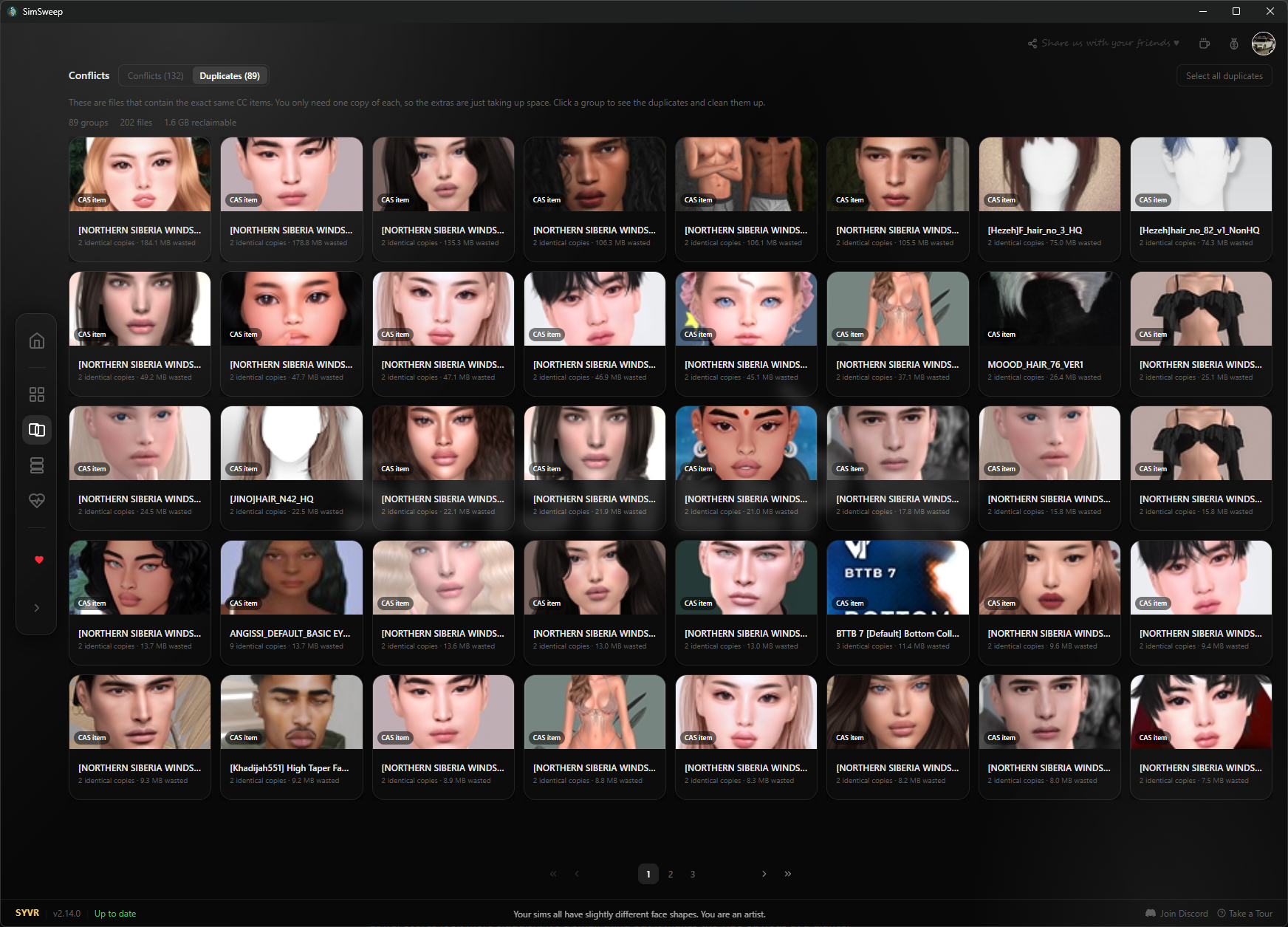
Duplicate detection
SimSweep separates exact byte-for-byte matches from packages that contain the same resource ID sets. It shows the file paths so you can review which copy you want to keep.
- 1Run a scan and open the duplicate results.
- 2Compare the file paths and choose which copy you want to keep.
- 3Review your selection before taking action.
Crash recovery
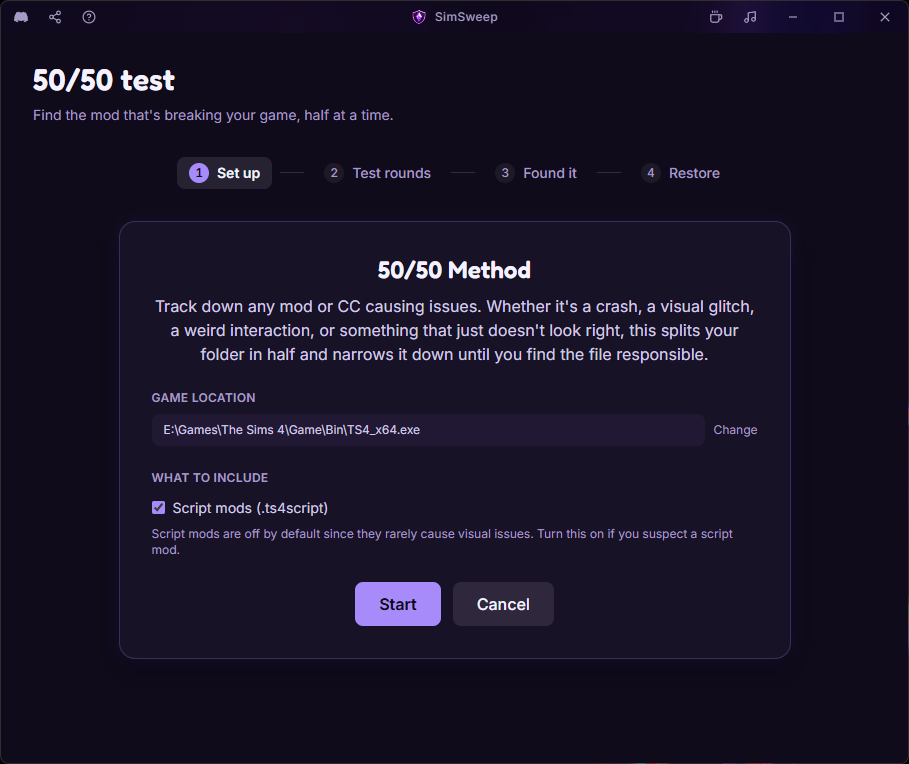
Guided 50/50 workflow
SimSweep handles the file moving and tracks each round. You test in the game, answer whether the issue remains, and narrow the selected files to a likely culprit. If the process is interrupted, SimSweep keeps a recovery record for restoring the staged files.
- 1Choose the files you want to test and start a 50/50 session.
- 2Test the game, then tell SimSweep whether the problem is still there.
- 3Repeat until the remaining files give you a focused place to investigate.
Safety net
Quarantine system
Quarantine moves selected files out of your active Mods folder so the game will not load them. You can restore quarantined files later. Permanent deletion is a separate action, and emptying Quarantine permanently removes everything stored there.
- 1Select the files you want to take out of your active Mods folder.
- 2Confirm the quarantine action after reviewing the selection.
- 3Restore files later, or use the clearly separate permanent delete action when you are sure.

Pre-flight
Pre-install checker
Drop new CC into the checker before it touches your Mods folder. SimSweep inspects it for structural problems, duplicates, and known threats so you can review the evidence first.
Script mods
Gameplay mod protection
MCCC, WickedWhims, UI Cheats, Basemental. These aren't CC, they're mods that change how the game actually works, and you really don't want to accidentally delete them during a cleanup. SimSweep recognizes script mods and keeps them protected while you deal with the rest.
Attribution
Per-creator breakdown
SimSweep groups attributed files by creator. See how much space each creator takes up, along with detected issues and available usage evidence.
Live game data
Game Link basics
Install the optional companion mod to use the free Control and Live panels, see household and lot details, and follow basic Guardian status while you play.
Creator catalog
Creator Shelf
Browse official SYVR mods and available community-hosted releases inside SimSweep. Listings show creator attribution, version and availability context, and the actions available for that release.
Decrypt
Power tools for Simmers who live in their Mods folder.
Decrypt is $5/mo or $48/yr via Patreon. It unlocks inside the app once you connect your Patreon. No card ever touches this site.
Memberships renew through Patreon monthly or yearly until canceled. Trial terms appear on Patreon before you join.
Manage or cancel on PatreonSave health
Advanced Save Health and CrashGuard
Decrypt adds deeper save analysis through Save Health, plus CrashGuard monitoring and game crash-log context to help narrow down what happened.
Organization
Mod profiles
Save different mod loadouts and switch which files are enabled for different playthroughs.
Live sync
File watcher
The file watcher monitors your Mods folder in real time. Drop something new in and SimSweep picks it up immediately without a full rescan.
Library detail
Bulk tag editing and detailed metadata
Edit tags across selected files and inspect richer package details when you need more context than a filename can provide.
Recovery
Automatic save backups
Back up your Saves folder when a save changes, when the game launches, or on a schedule while SimSweep is open.
Creator access
Early Access CC and mods
Install selected Creator Shelf releases early. Every Early Access release becomes free later, either on its published date or after its release event.
Game Link
CC Intelligence
Review installed-pack and mod-footprint context inside Game Link. Conflict Radar is shown as a preview of work still in development, not a finished feature.
Get started
Ready to see what your Mods folder has been hiding?
Free download. No SimSweep account required for Free.